

Ergonomic design is not just about office chairs. It is a scientific discipline — formally defined by the International Ergonomics Association as the practice of optimising human well-being and system performance through understanding how people interact with their environment. Whether you are adjusting a workstation, choosing a kitchen layout, or tapping through a mobile app, ergonomic design shapes how comfortable, safe, and productive that experience feels. This guide covers what is ergonomic design in full, from its core principles and real-world applications to practical steps you can take today to improve your home and work life.
Table of Contents
- Key takeaways
- The principles of ergonomic design
- Benefits of ergonomic design
- Ergonomic design examples across spaces
- How to apply ergonomic principles at home and work
- My honest take on ergonomic design
- Explore ergonomic products at Iw1t
- FAQ
Key takeaways
| Point | Details |
|---|---|
| Ergonomics fits tasks to people | Good design adapts to human needs rather than forcing people to adapt to poor environments. |
| Benefits go beyond the office | Ergonomic principles apply equally to home spaces, digital interfaces, and everyday tools. |
| Research confirms health gains | A 2025 meta-analysis confirmed ergonomic interventions significantly reduce back, neck, and wrist pain. |
| Small changes make a big difference | Practical workstation adjustments deliver real results without the need for costly redesigns. |
| Ongoing assessment matters | Ergonomic fit is not a one-time fix. It requires regular evaluation to remain effective. |
The principles of ergonomic design
At its core, ergonomics is about fitting the task to the worker, not the other way around. The moment a design forces you to contort, strain, or mentally wrestle with it, the design has failed. That is the foundational idea behind every ergonomic decision, from the angle of a keyboard tray to the placement of a light switch.
The field covers three broad areas of human factors, each addressing a different dimension of how people function.
- Physical ergonomics focuses on the body. It accounts for anatomy, posture, reach, repetitive motion, and the risk of musculoskeletal injury. This is the branch most people associate with ergonomics, and for good reason. Poor physical ergonomics is a leading cause of workplace discomfort and long-term injury.
- Cognitive ergonomics addresses mental workload, decision-making, and stress. A cluttered dashboard on a car, a confusing checkout process online, or a badly labelled set of controls all represent failures of cognitive ergonomics. The goal is to reduce mental effort, not add to it.
- Organisational ergonomics looks at how work is structured. Shift patterns, rest breaks, task sequencing, and team communication all fall within this domain. It recognises that comfort and performance are not purely physical outcomes.
What makes ergonomic design genuinely effective is treating these three areas as interconnected. As the Interaction Design Foundation notes, ergonomic design is multifactorial, combining posture, reach, task sequencing, and interaction design into a system rather than a checklist of isolated fixes.
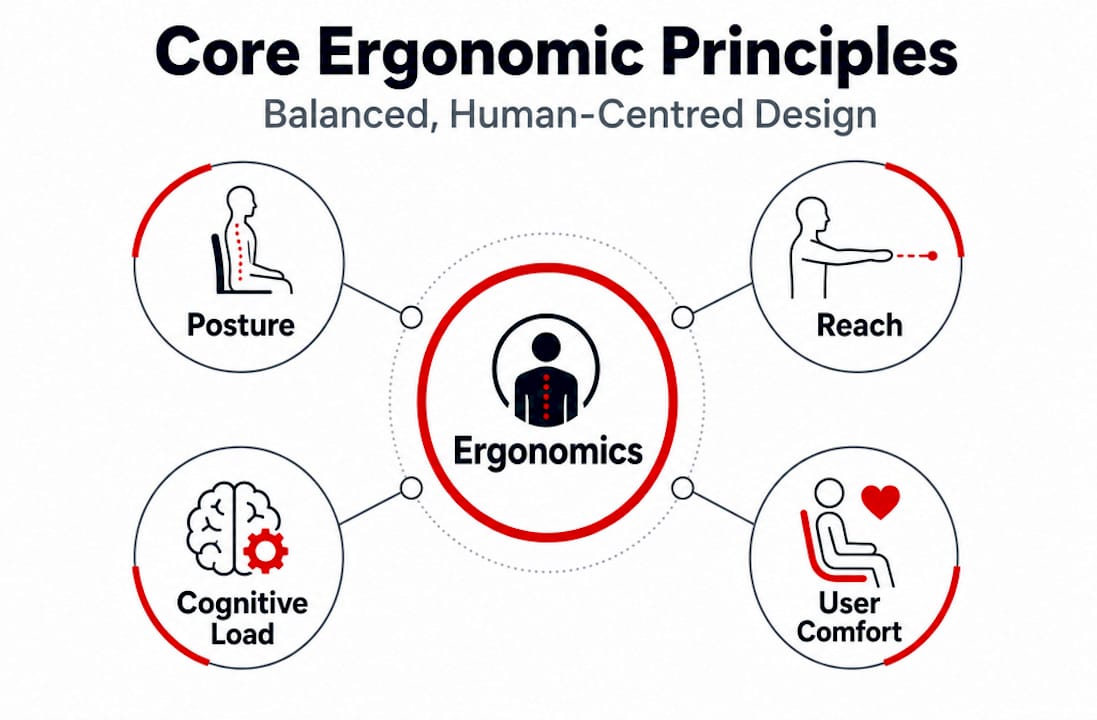
Posture, reach, and cognitive load
Three concepts deserve particular attention because they appear across every ergonomic application.
Posture is not simply about sitting up straight. It is about maintaining a neutral alignment in the spine, neck, and joints during the full range of activities you perform. The ideal posture varies by task, which is why adjustability in furniture and tools is so central to good ergonomic design.
Reach refers to how accessible the objects you use most frequently actually are. Items you touch constantly should sit within your primary reach zone, roughly the arc your arms cover without extending your shoulders. Items used occasionally can live further away. Designing around reach zones prevents the subtle, repetitive strain that accumulates quietly over months and years.
Cognitive load is the mental cost of processing information or performing a task. Ergonomic design in furniture might reduce physical strain, but ergonomic design in a digital interface or a physical control panel reduces cognitive strain. When you can find what you need without hunting, complete a task without guessing, and move through an environment without obstacles, cognitive load drops and performance rises.
Pro Tip: When assessing any space ergonomically, ask yourself which actions you repeat most and whether the environment actively supports those specific actions. That single question exposes the majority of ergonomic risks.
Benefits of ergonomic design
The evidence base for ergonomics is substantial and growing. Harvard's Environmental Health and Safety team states that ergonomic design reduces fatigue and work-related musculoskeletal disorders while directly improving productivity. That dual outcome is why organisations invest in it, and why it matters at home too.
A significant body of research now quantifies the gains. A 2025 meta-analysis published in PubMed found that ergonomic interventions significantly reduced musculoskeletal pain, with the strongest effects recorded for lower back, neck, and wrist complaints. These are precisely the areas that suffer most from prolonged desk work, manual tasks, and poorly arranged home environments.
"Ergonomic interventions lowered pain intensity and reduced the odds of lower-back musculoskeletal disorder significantly across study populations." — PubMed meta-analysis, 2025
The benefits are not limited to pain reduction. People who work in well-designed environments report higher job satisfaction, fewer errors, and greater sustained output over time. These are not soft benefits. They are measurable outcomes tied directly to how well a space fits its users.
The scope also extends to digital environments. When UX and UI designers apply ergonomic principles, they reduce cognitive fatigue during digital interactions, which matters enormously given how many hours people now spend on screens at work and at home. A confusing app, an overcrowded dashboard, or a poorly structured menu system all impose costs that a well-designed alternative would eliminate.
Ergonomic design examples across spaces
One of the most useful ways to understand ergonomics is to see it applied side by side with non-ergonomic alternatives. Here is how the contrast looks across common environments.
| Feature | Ergonomic design | Non-ergonomic design |
|---|---|---|
| Office chair | Adjustable lumbar support, seat height, and armrests | Fixed seat, no lumbar support |
| Desk setup | Monitor at eye level, keyboard at elbow height | Screen too low or high, keyboard too far away |
| Kitchen layout | Frequently used items at shoulder to waist height | Heavy items on high or low shelves |
| Digital interface | Clear hierarchy, minimal clicks to complete tasks | Cluttered menus, buried functions |
| Hand tools | Contoured grip matching hand anatomy | Straight handle requiring wrist deviation |
Ergonomic design in furniture is perhaps the most discussed application, and ergonomic seating is central to it. A chair that fits your body reduces spinal compression, supports natural curvature, and allows you to shift position without losing support. That flexibility matters as much as the initial setup.
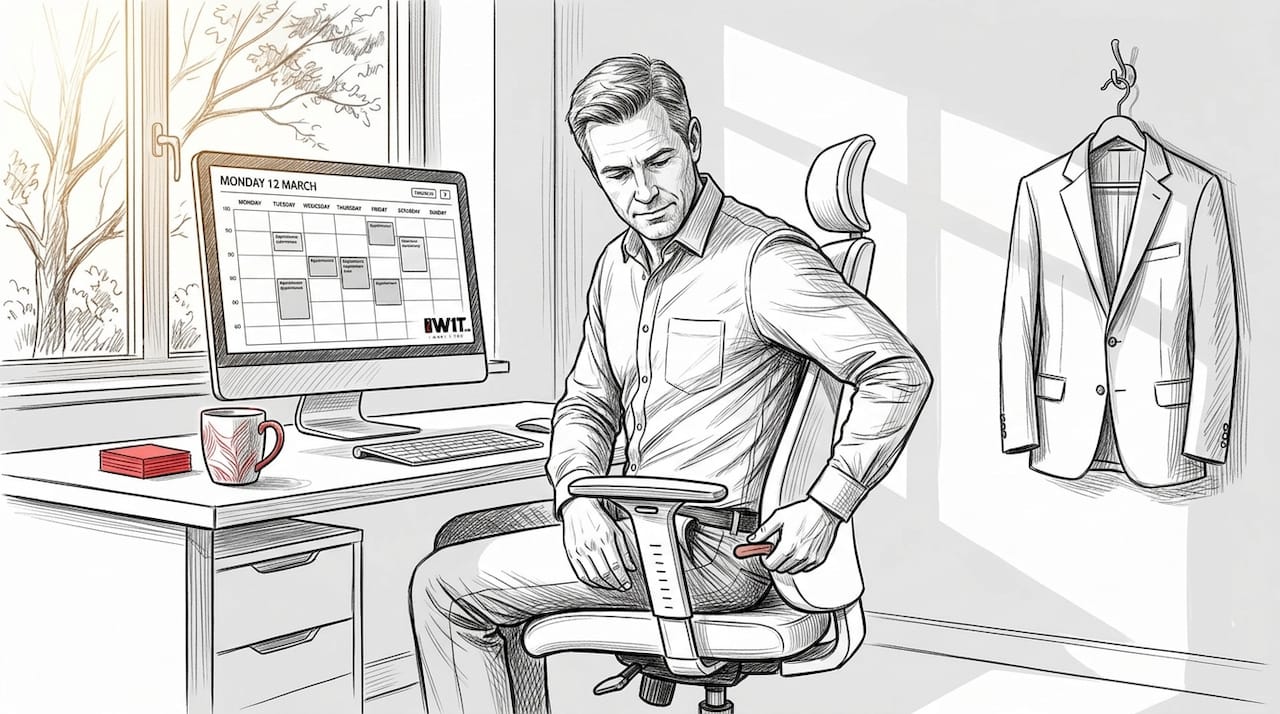
For the home, ergonomic thinking extends to ergonomic home accessories and how rooms are arranged. A kitchen where the hob, sink, and preparation surface form a triangle reduces unnecessary movement. A lounge where seating heights match a television's placement reduces neck strain. These are not dramatic redesigns. They are thoughtful choices that accumulate into genuinely better daily living.
Digital ergonomics deserves its own mention. When a website or app is designed with clear visual hierarchy, consistent navigation, and reduced unnecessary steps, it is applying the same principles a furniture designer applies when optimising a workstation. The medium differs. The discipline is identical.
How to apply ergonomic principles at home and work
Understanding ergonomics is useful. Applying it is what actually improves your life. Here is a practical sequence to follow.
-
Audit your current environment. Spend a day noting where you feel discomfort, tension, or frustration. Lower back pain after an hour at a desk, neck stiffness after screen time, or fatigue from repeated kitchen tasks are all diagnostic signals pointing to specific ergonomic mismatches.
-
Prioritise your highest-frequency tasks. You will get the greatest return by improving the ergonomics of activities you perform for several hours each day. Address those before anything else.
-
Adjust before you buy. Practical workstation modifications deliver significant results without requiring new equipment. Raise or lower your monitor using books or a stand. Reposition your chair. Move your most-used kitchen items. These changes cost nothing and frequently solve the majority of the problem.
-
Introduce adjustable equipment where possible. Once you have exhausted adjustments, consider products designed around adjustability. An ergonomic home workspace built around a height-adjustable desk, a supportive chair, and a monitor arm covers the core physical ergonomic requirements comprehensively.
-
Evaluate regularly. Ergonomic fit changes as your tasks, habits, and physical needs evolve. What works well today may need refinement in six months. Build a habit of brief periodic reviews rather than treating the initial setup as permanent.
-
Consider professional input for persistent problems. For chronic discomfort or complex working environments, an occupational health specialist or certified ergonomist can identify risks that a self-assessment may miss.
Pro Tip: Involving the user directly in any ergonomic adjustment process, even if that user is yourself, produces better outcomes than following a generic setup guide. The most impactful ergonomic changes come from matching the environment to individual needs, not to an average.
My honest take on ergonomic design
I have spent years observing how people interact with their spaces, and the most persistent mistake I see is treating "ergonomic" as a product label rather than a purposeful approach. People buy a chair marketed as ergonomic and expect transformation. When they still feel discomfort, they conclude ergonomics does not work for them. But the chair was never the problem.
What I have found is that effective ergonomic thinking starts with diagnosis. The mismatch approach outlined in occupational health literature asks a specific question: where does the environment conflict with what the human body naturally wants to do? Identifying that mismatch comes first. The product or adjustment comes second.
I have also seen the consequences of treating ergonomics as a one-time project. You set up your workstation in January, and by October your tasks have shifted, your posture has drifted, and the original setup no longer fits your actual work pattern. The research is clear that sustained ergonomic benefits require monitoring and adjustment over time. It is an ongoing dialogue with your environment, not a solved problem.
The other thing worth stating plainly: you do not need to spend a great deal of money to make meaningful ergonomic improvements. Most gains come from repositioning, reorganising, and being deliberate about how your space supports your most frequent activities. Expensive equipment helps, but it helps most when the fundamentals are already in place.
— Scott
Explore ergonomic products at Iw1t

If reading this has prompted you to take your space seriously, Iw1t is a good place to start browsing. As a family-run UK online store, Iw1t brings together a curated selection of practical products spanning home comfort, wellness accessories, and lifestyle tools, all chosen with everyday usability in mind. Whether you are looking for home comfort accessories, tools to improve your workspace, or thoughtfully designed everyday items that actually fit how you live, Iw1t combines practicality with style in a way that makes applying ergonomic principles genuinely straightforward.
FAQ
What is ergonomic design in simple terms?
Ergonomic design is the practice of creating products, spaces, and systems that fit human physical and cognitive needs rather than forcing people to adapt to poor designs. The goal is to reduce discomfort, injury, and fatigue while improving performance.
What makes a design ergonomic?
A design is ergonomic when it supports natural posture, places frequently used items within comfortable reach, reduces unnecessary physical or mental effort, and can be adjusted to suit individual users.
What are the main benefits of ergonomic design?
The key benefits include reduced musculoskeletal pain, lower fatigue, improved productivity, and greater user satisfaction. A 2025 meta-analysis confirmed significant pain reductions in the back, neck, and wrists through ergonomic interventions.
Does ergonomic design only apply to office furniture?
No. Ergonomic principles apply across furniture, hand tools, kitchen layouts, digital interfaces, and any environment where people interact with their surroundings. The discipline is as relevant at home as it is in a professional setting.
How do I start improving the ergonomics of my home?
Begin by identifying where you experience physical discomfort or frustration during daily tasks, then make positional adjustments before purchasing new equipment. Prioritise the areas where you spend the most time for the fastest and most noticeable improvements.